NOTE: TabPark is for desktop computers.
Park Your Tabs.
Free Your Brain.
You've got 42 tabs open right now. You won't close them because one of them is important - you just can't remember which one. TabPark saves them all in organized, visual workspaces so you can close every single tab... and get them back with one click. No more tab chaos!
Free forever. No credit card required. Installs in 8 seconds.
Let's Be Honest About Your Browser Right Now
You tell yourself you'll "get to those tabs later."
You won't.
Instead, here's what actually happens:
→ Your computer slows to a crawl. Every open tab eats memory. By tab 30, your $1,200 laptop performs like a 2014 Chromebook.
→ You lose the tab you need — when you need it most. That article. That client link. That half-finished checkout. It's in there somewhere... buried under 40 other tabs you're "saving for later."
→ You accidentally close the wrong window. And just like that, 2 hours of research is gone. Chrome's "Reopen closed tab" only gets you so far when you had 6 windows going.
→ Your browser becomes your to-do list. Except it's an invisible, unorganized to-do list that makes you feel vaguely anxious every time you look at it.
You don't need to close tabs. You need a place to park them.
TabPark fixes this in seconds!
TabPark Turns Tab Chaos into Calm... In About 10 Seconds
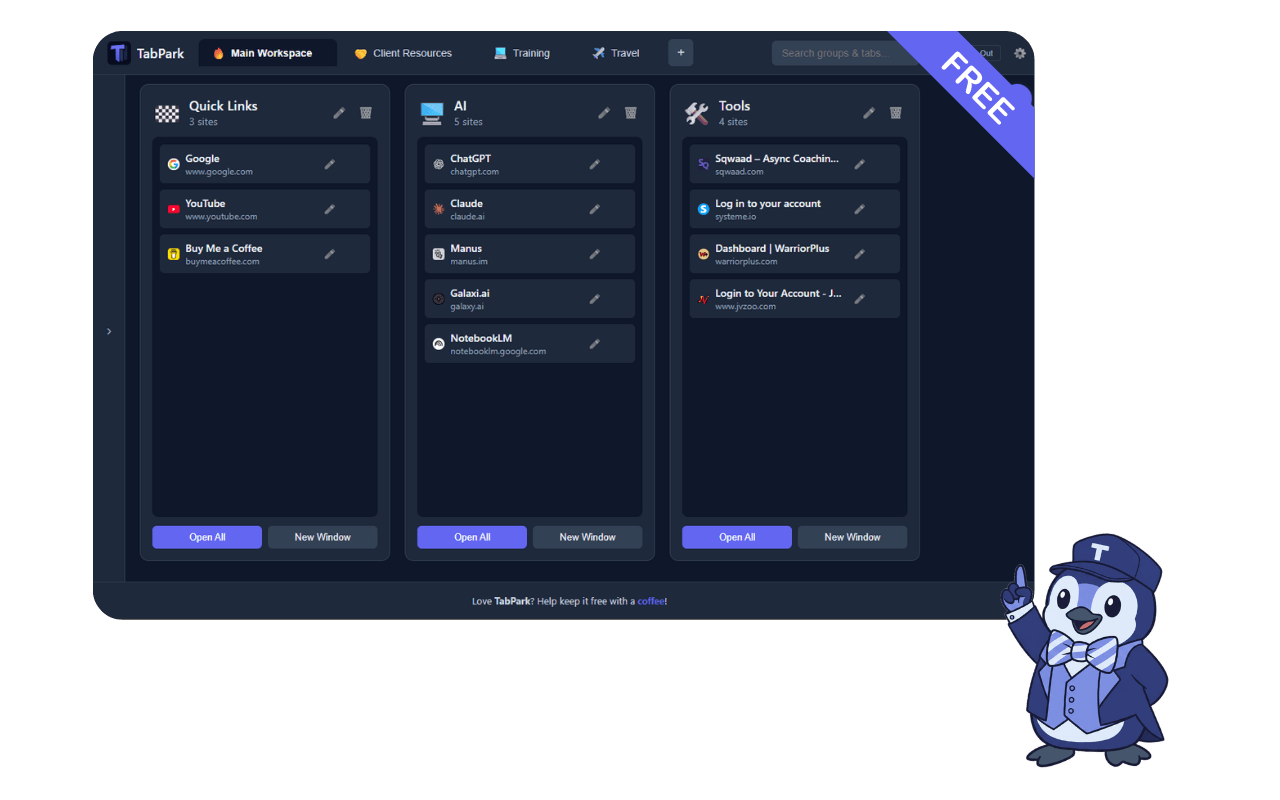
TabPark replaces your new tab page with a clean, visual dashboard.
Your open tabs appear in a sidebar.
You drag them into named groups.
Done.
No learning curve. No complex setup. No subscription.
Just open a new tab and you're in control.
Here's How It Works

Open a New Tab
TabPark becomes your new tab page — a clean command center instead of a Google search bar you don't need.
Drag tabs into Groups
See all your open tabs in the sidebar. Drag them into groups like "Client Project," "Research," "Shopping," or whatever makes sense to you.
Name It, Icon It, Done
Give each group a name and pick an icon. Takes 3 seconds. Now you know exactly what's in each group at a glance.
One-Click Restore
Click once to reopen an entire group of tabs — in your current window or a new one. Pick up exactly where you left off.
Your tabs are parked. Your brain is free. Drive on.
Your Browser Is Begging You.
Every tab you have open right now is eating memory, slowing your machine, and adding a tiny sliver of background stress to your day.
Park them. Free your browser. Free your brain.
Everything You Need.
Nothing You Don't.
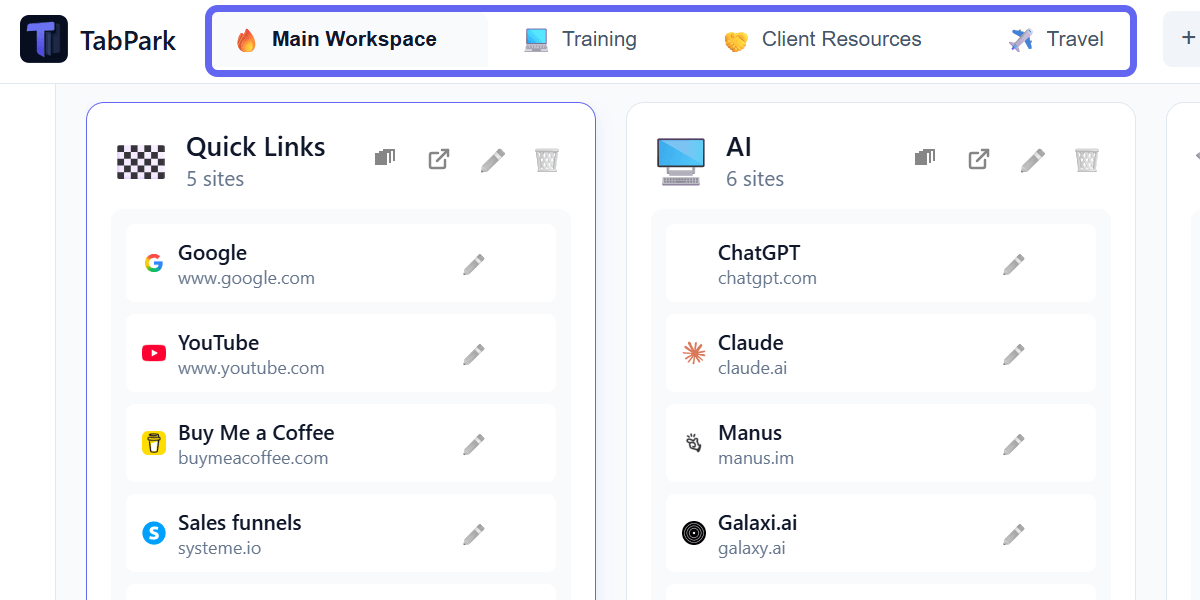
One Dashboard for Every Part of Your Life
Create separate workspaces for work, personal projects, side hustles, or that kitchen remodel you keep researching. Switch between them instantly. Everything stays exactly where you left it.
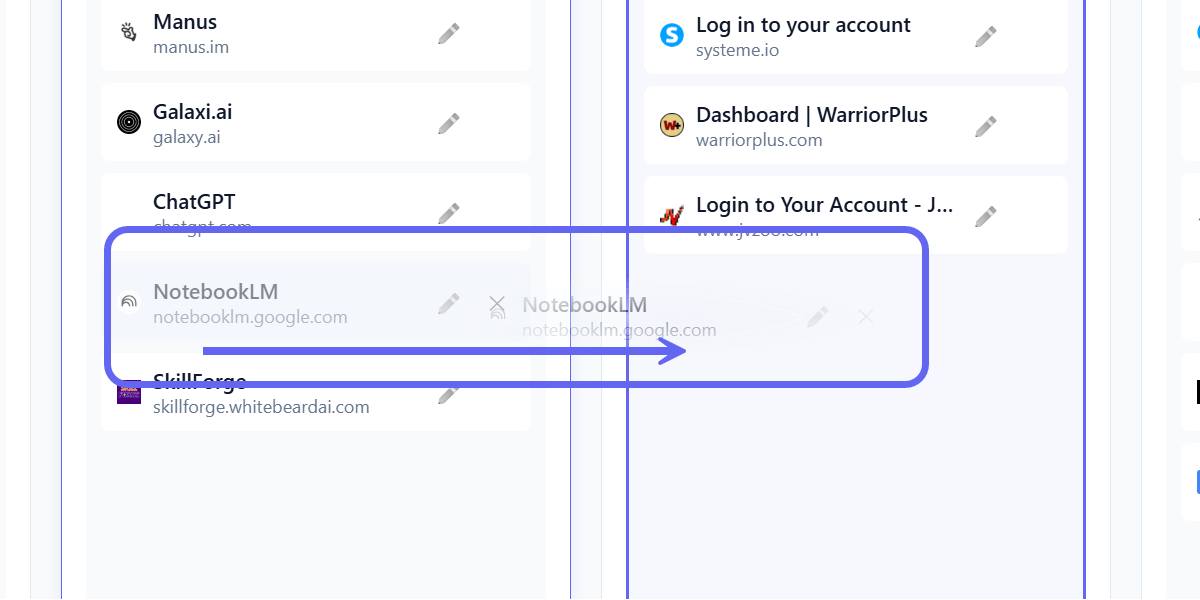
If You Can Drag a File into a Folder, You Can Use TabPark
Drag open tabs into groups. Drag tabs between groups. Drag groups to reorder them. There is no tutorial because you don't need one.

Start on Your Laptop. Pick Up on Your Desktop.
Sign in with Google or email, and your tab groups follow you everywhere. Your data is encrypted end-to-end — only you can see it.
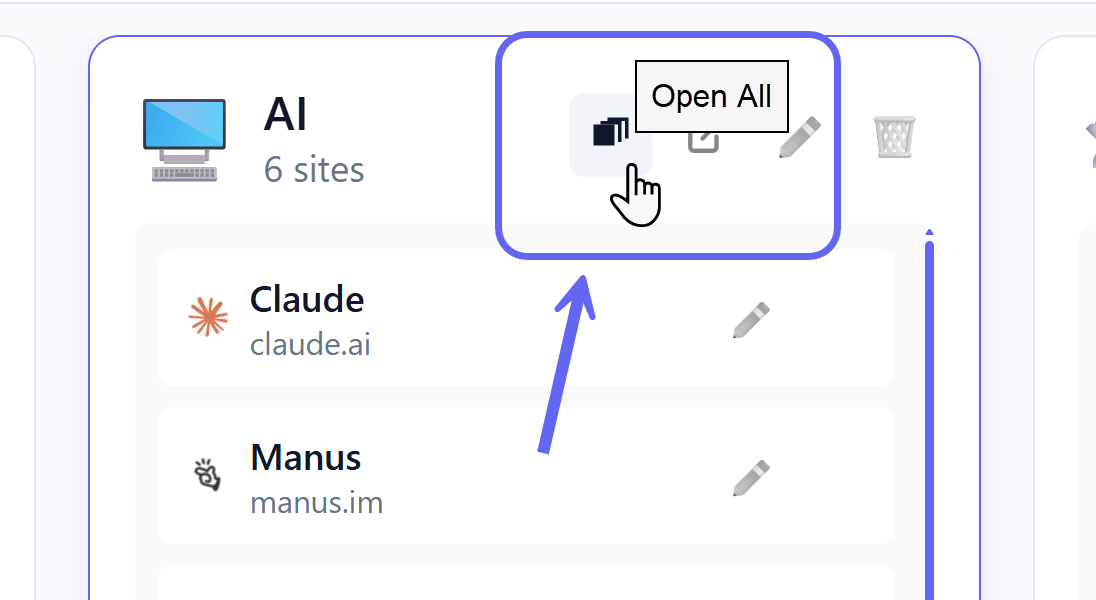
Reopen 15 Tabs With One Click (Instead of Bookmarking Them One by One)
Open an entire group in your current window or a new one. No more hunting through bookmark folders. No more "which folder did I save that in?"
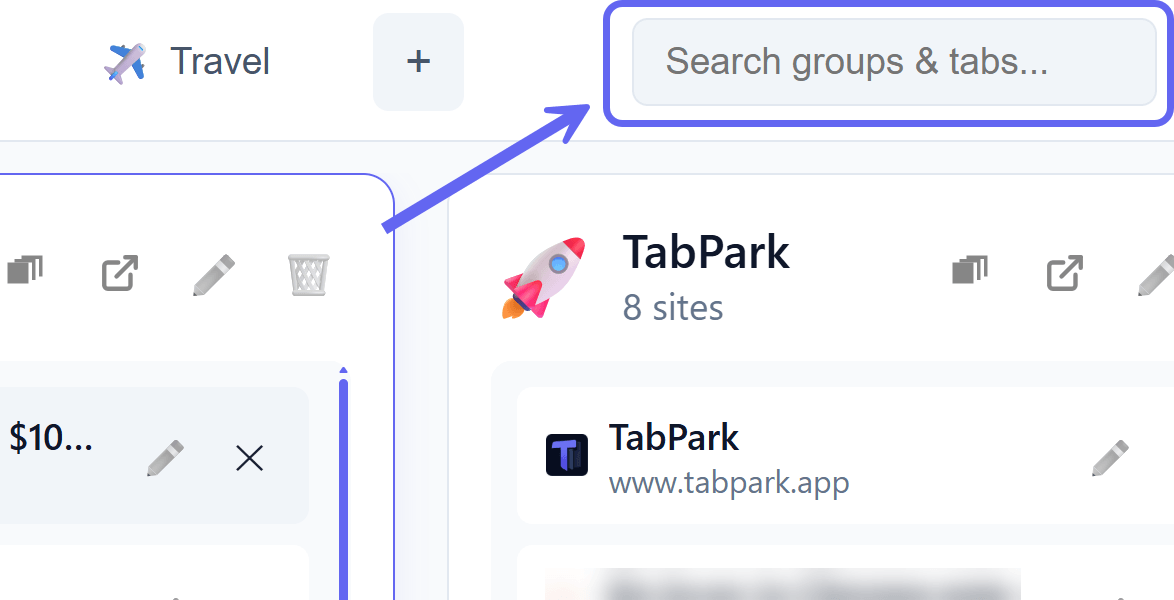
Find Any Tab Across Every Workspace in Under 2 Seconds
Search by group name, tab title, or URL. Results appear as you type. It's like Spotlight for your browser tabs.

Your Tabs Are Your Business. Period.
TabPark works offline by default. No tracking. No ads. No analytics watching what you browse. Your data stays on your device unless you choose to enable cloud sync.
Who Parks Their Tabs?
Online Business Owners — Shopify dashboard, ad manager, email platform, analytics, supplier sites... you run your business in browser tabs. Park each workflow separately and stop losing your place every time you switch tasks.
Coaches & Experts — Client portals, course platforms, Zoom links, content calendars, research for your next program — park each client or project into its own group and stop mentally juggling 6 things at once.
Freelancers & Consultants — Separate client projects into workspaces. Switch between clients without losing your place.
Researchers & Students — Save entire research sessions as tab groups. Come back to them days or weeks later with everything intact.
Anyone With a "Tab Problem" — You know who you are. You've got 4 browser windows with 20+ tabs each. TabPark was literally built for you.
Developers — Stack Overflow, GitHub repos, docs, localhost... park the tabs you need for each project and stop polluting your other windows.
"But I Already Use Bookmarks..."
Bookmarks are where tabs go to die. Be honest — when was the last time you actually went back to a bookmark folder and reopened everything in it?
TabPark is different because:
It's visual. You see your groups at a glance, not buried in a menu.
It's instant. One click reopens an entire session — not one tab at a time.
It's alive. Your tab groups are working collections, not a graveyard of links you saved in 2019.
Stop Losing Tabs.
Start Parking Them.
Install TabPark free and take back your browser in under 60 seconds.
No Credit Card Needed.
FAQs
Q: Is TabPark really free?
A: Yes. Completely free. No premium tier. No "free trial." No bait-and-switch. If you want to support development, there's a voluntary Buy Me a Coffee option that helps keeps it free. That's it.
Q: Do I need to create an account?
A: Nope. TabPark works locally with zero setup. IMPORTANT: You only need an account if you want to sync tabs across multiple devices.
Q: What happens to my current new tab page?
A: TabPark replaces it with your workspace dashboard. If you ever uninstall TabPark, your original new tab page comes right back.
Q: Is my data safe?
A: Your tabs stay on your device by default. If you enable cloud sync, your data is encrypted and only accessible by you. No tracking, no ads, no third-party access.
Q: Does it work with Chrome AND Edge?
A: Yes. Same great experience on both browsers.